

Ergonomic Benefits of a Leather Desk Mat for Comfort
A desk mat can soften contact with a hard work surface, but it cannot correct posture on its own. The ergonomic benefits of a leather desk mat are practical: it provides a smoother, cushioned place for your wrists and forearms to rest and may make writing and repeated mouse movements feel more comfortable.
During long stretches at a desk, small points of contact can become more noticeable. A softer surface may feel gentler under your hands as you move between notes, keyboard, and mouse. A desk mat may support a more comfortable resting position, make repetitive tasks feel more comfortable, and provide a pleasant writing surface. Still, lasting comfort depends on your overall desk setup, not on a mat alone. Keep that in mind when choosing a workspace accessory.
Key Takeaways
- Use a desk mat as a softer resting surface for your wrists and forearms, not as a substitute for an ergonomic setup.
- Consider how a smooth surface feels during repeated mouse movements and other desk tasks.
- Notice whether a cushioned, even surface makes writing and typing more comfortable.
- Explore a leather desk mat when you want tactile comfort alongside a more composed workspace.
1. Ergonomic posture and wrist strain
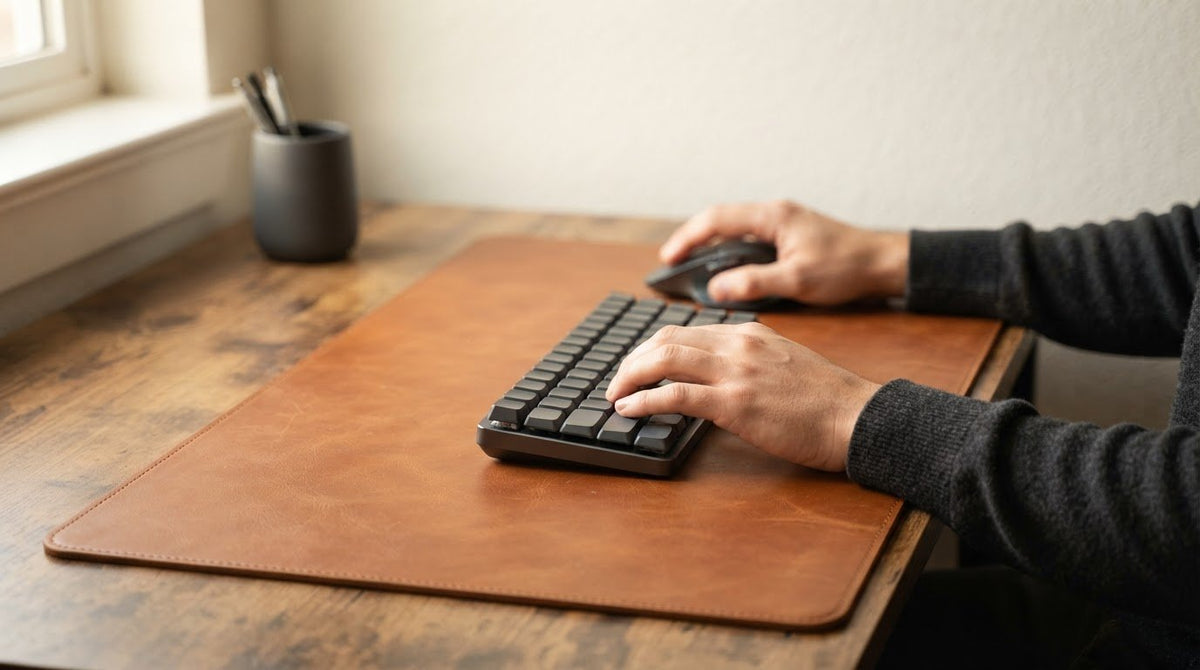
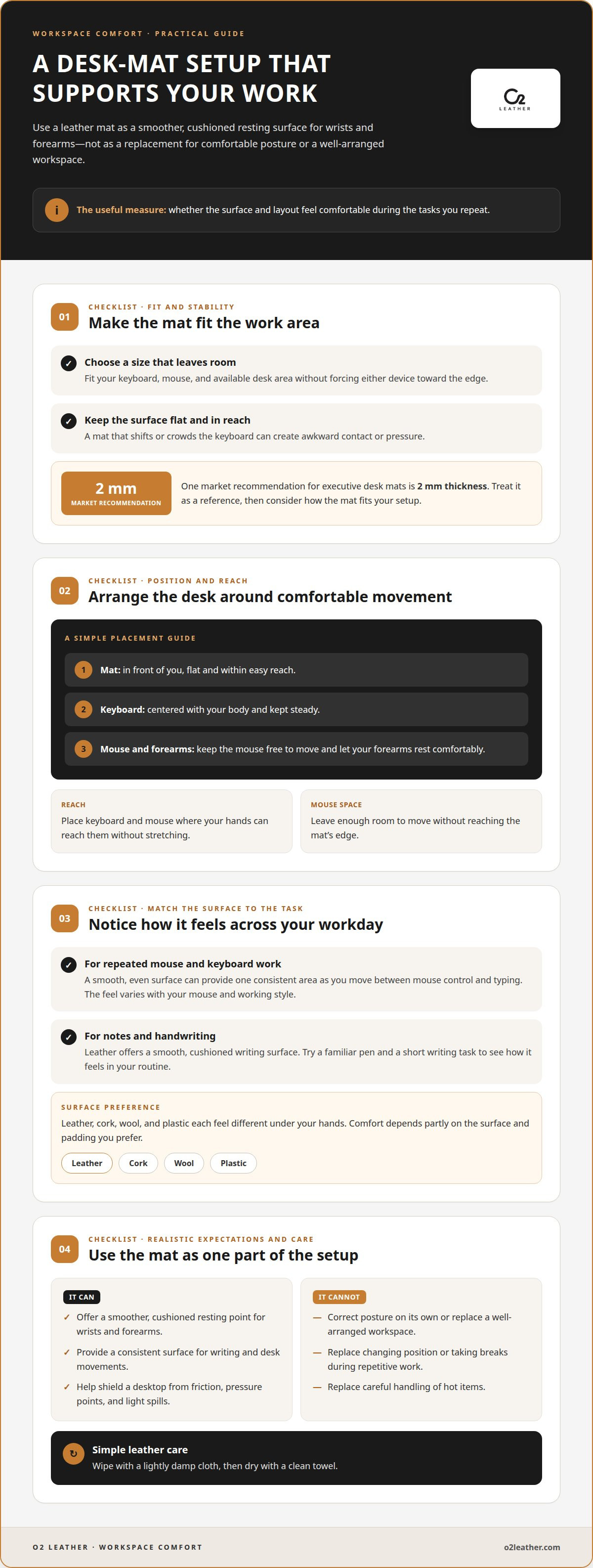
A leather surface gives your wrists and forearms a smoother resting point during desk work. Its cushioning may feel gentler during typing, but a mat alone won’t correct posture or replace a well-arranged workspace. For thickness, one market recommendation for executive desk mats is 2 mm; choose a size that fits your keyboard, mouse, and available desk area without forcing either device toward the edge. The ergonomic benefits of a leather desk mat depend on how it fits your setup and supports comfortable movement.
Leather, cork, wool, and plastic each feel different under your hands. Leather offers a smooth, cushioned surface for writing and resting, while comfort depends on the surface and padding you prefer. For mouse use, a leather desk mat can provide a smooth surface, though the feel may vary with your mouse and working style. A mat that shifts or crowds your keyboard can create awkward contact or pressure, so keep it flat and positioned within easy reach. In the United States, desk-mat prices depend on material, construction, and size.
Position the mat in front of you, then place the keyboard and mouse where your hands can reach them without stretching. Let your forearms rest comfortably on the surface, keeping the keyboard centered with your body. A leather mat can help shield a desktop from friction, pressure points, and light spills; some desk-pad listings also describe protection from heat. It doesn’t replace careful handling of hot items. For a workspace-ready option, explore leather desk mats and consider how their surface will support your daily tasks.
2. Reduced strain during repetitive tasks
Repetitive desk work often combines keyboard strokes, mouse movement, and short writing breaks. A PU leather mat provides a smooth surface for mouse movement across the workspace. Its texture may help reduce strain and discomfort during repeated tasks. An even plane also lets you move from cursor work to notes without switching surfaces. This accessory works best as a stable base, not a substitute for changing position or taking breaks.
Consider a typical sequence: move the mouse to edit a document, type several lines, then jot a reminder beside the keyboard. A mat creates one consistent surface for these transitions. Its smooth finish can make mouse movements feel more fluid, while the writing area gives you a place for quick notes. These small changes may make repeated actions feel less abrupt, especially on a hard or uneven desktop. Keep frequently used tools within easy reach to avoid repeated stretching.
For daily use, place the mat so your mouse can move freely without reaching the edge. Keep the keyboard steady and leave room for a notepad if writing is part of your routine. A clear workspace makes it easier to see whether the surface supports your usual movements or gets in their way. Leather also adds a refined look to a functional setup, and its character develops with use. Comfort is personal: notice whether the texture suits your mouse control and hand movements, then adjust the layout for the tasks you repeat most.
That support is most relevant when the same motions recur across a work session: the mat offers a consistent surface as you alternate between mouse control and typing. The smooth texture of PU leather allows for effortless mouse movements, so you can move across the work area without changing surfaces. A PU leather desk mat may help reduce strain and discomfort associated with repetitive tasks, though comfort remains personal and depends on whether the surface suits your movements.
3. Tactile comfort for writing
A leather desk mat provides a smooth, cushioned writing surface instead of a bare, hard desktop. When you draft a note, sign a form, or annotate a printed page, the padding changes how the surface feels beneath your hand. Leather also feels different from hard technical materials, so comfort partly comes down to personal preference. Try a familiar pen and a short writing task to assess how it feels in your routine.
That tactile difference matters most when work shifts between handwriting and typing. A notepad beside the keyboard stays on the same continuous surface, while the leather provides a consistent place for your palm to rest. It will not change pen precision or correct writing posture, but it can make the surface beneath your hand feel softer. If your workflow depends on precise mouse movements, see how the leather feels during that task before making it your main work surface.
Leather also brings a material character that changes with use. Its patina can reflect daily handling rather than simply appearing damaged, adding a lived-in quality to a workspace. For routine care, wipe the mat with a lightly damp cloth, then dry it with a clean towel. That simple step helps keep the surface ready for notes, signatures, and sketching. If you value a writing area with tactile comfort and enduring character, explore leather desk mats for your workspace.
This preference check matters for specialized gaming or precision-heavy workflows, where leather may feel different from hard technical materials. Try the surface during the tasks you rely on most, then decide whether it suits your routine. Your comfort with the material is the useful measure, not an assumption that one surface suits everyone.
O2 Leather: Leather Deskmats
O2 Leather offers leather deskmats for readers seeking a composed work surface with tactile character. They’re a natural choice when writing, keyboard work, and mouse use share the same desk. A mat creates a defined area for those daily tasks, while its smooth surface can make hand movements feel more comfortable. It supports a considered setup, but doesn’t replace suitable posture or workspace positioning.
Explore leather desk mats if you want a functional desk accessory with a refined material presence. Choose a surface that suits your routine, from handwritten notes to regular computer work. The right fit depends on your desk and how you use it, not on appearance alone.
For a leather desk mat that brings comfort and character to your workspace, contact O2 Leather.
Make Your Workspace Feel More Considered
Choose a desk mat based on the work you do. If your day moves between handwritten notes, keyboard work, and mouse use, let those habits guide the mat's placement and fit. Judge the ergonomic benefits of a leather desk mat by how it feels in your routine, not by appearance alone. Leave room for your setup to evolve. A well-chosen surface can become a useful part of your daily rhythm, gaining character through use.
For a refined desk surface that brings tactile character to everyday work, contact O2 Leather about leather deskmats. Take the next step toward a workspace that feels distinctly yours.
Frequently Asked Questions
What ergonomic benefits can a leather desk mat provide?
A leather desk mat can make contact with your desk more comfortable and define an area for daily work. This boundary helps keep your keyboard, papers, and writing tools together, reducing unnecessary reaching across the desktop. A mat does not correct posture or replace an ergonomic setup, so adjust your chair, screen, and device placement as well.
How does leather compare with cork, wool, and plastic desk mats for comfort and support?
Leather provides a smooth, cushioned surface for writing and resting your wrists and forearms. Cork, wool, and plastic feel different, so comfort depends on the surface and padding you prefer.